Loading FLUXCADE...
Draw Board
Loading Draw Board...
Draw Board
UTILITYStudio
A smooth drawing board for sketching, diagramming, and creating geometric designs.
UpdatedJul 2026
ExportsPNG, JPG, SVG
Runs onAny browser
PriceFree
Overview
A dynamic utility playground.
Draw Board is a delightful digital canvas for your ideas. Whether you are sketching a quick diagram, drafting a wireframe, or simply relaxing with some digital painting, it provides the essential tools you need in a clean, distraction-free environment.
Draw smooth, natural strokes with a variable-speed brush that tapers when you move fast, or stamp down geometric shapes. The built-in layer system lets you easily move, edit, or remove individual strokes long after you've drawn them.
Features
Built for utility-scale experimentation.
01 / Spotlight
Natural Freehand Brush
A variable-speed pen that smoothly tapers and thins during fast draws for calligraphy-like strokes.
02
Geometry and Diagramming Tools
Click and drag to create lines, diagram arrows, rectangles, and circles with customizable colors, outlines, and glowing transparencies.
03
Full Layer Control
Every stroke and shape is saved as a separate object. Reorder, delete, or change colors at any time.
04
Crisp Exports
Download your artwork as a standard image or a high-quality scalable vector file.
How to use
Workflow
Steps take about a minute.
Pick a tool from the sidebar to start drawing. Use the Tools tab to choose custom colors, stroke thickness, and shape fills. Switch over to the Layers tab to rearrange, delete, or modify anything you've already drawn. When you're finished, hit Export to save your masterpiece.
Use cases
What people use it for
Quick sketching and freehand brainstormingDrafting clean diagrams and wireframesCreating digital art and geometric patternsTaking quick visual notes with a stylus or mouse
FAQ
Common questions
How does the variable pressure brush work?+
It reacts to how fast you move your mouse or stylus. Faster strokes produce thinner, tapered outlines, while slower drags create wider, fuller strokes, mimicking a natural ink pen.
Can I edit shapes after they are drawn?+
Yes! Open the Layers tab, select any element in the list, and you can edit its color, stroke width, fill style, or reorder/delete it instantly.
Related
More utility apps
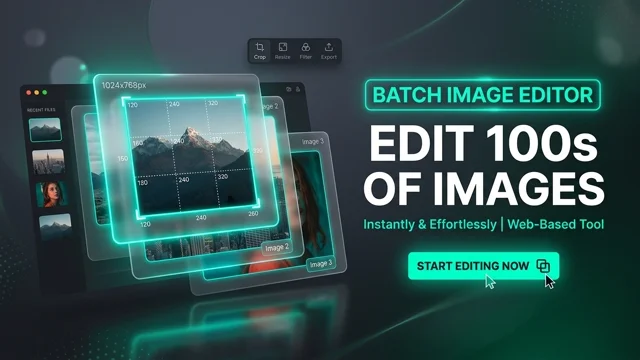
Image Workbench
A comprehensive bulk and single-image processing studio. Compress, convert, crop, resize, and apply filters in bulk, then download your optimized images compiled in a ZIP archive.
Booklet Previewer
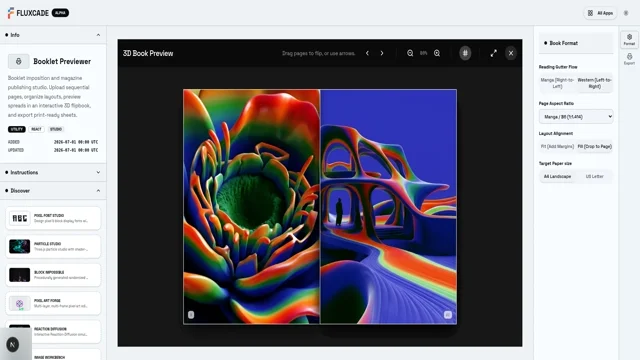
Booklet imposition and magazine publishing studio. Upload sequential pages, organize layouts, preview spreads in an interactive 3D flipbook, and export print-ready sheets.
Draw Board
UTILITYStudio
A smooth drawing board for sketching, diagramming, and creating geometric designs.
UpdatedJul 2026
ExportsPNG, JPG, SVG
Runs onAny browser
PriceFree
Overview
A dynamic utility playground.
Draw Board is a delightful digital canvas for your ideas. Whether you are sketching a quick diagram, drafting a wireframe, or simply relaxing with some digital painting, it provides the essential tools you need in a clean, distraction-free environment.
Draw smooth, natural strokes with a variable-speed brush that tapers when you move fast, or stamp down geometric shapes. The built-in layer system lets you easily move, edit, or remove individual strokes long after you've drawn them.
Features
Built for utility-scale experimentation.
01 / Spotlight
Natural Freehand Brush
A variable-speed pen that smoothly tapers and thins during fast draws for calligraphy-like strokes.
02
Geometry and Diagramming Tools
Click and drag to create lines, diagram arrows, rectangles, and circles with customizable colors, outlines, and glowing transparencies.
03
Full Layer Control
Every stroke and shape is saved as a separate object. Reorder, delete, or change colors at any time.
04
Crisp Exports
Download your artwork as a standard image or a high-quality scalable vector file.
How to use
Workflow
Steps take about a minute.
Pick a tool from the sidebar to start drawing. Use the Tools tab to choose custom colors, stroke thickness, and shape fills. Switch over to the Layers tab to rearrange, delete, or modify anything you've already drawn. When you're finished, hit Export to save your masterpiece.
Use cases
What people use it for
Quick sketching and freehand brainstormingDrafting clean diagrams and wireframesCreating digital art and geometric patternsTaking quick visual notes with a stylus or mouse
FAQ
Common questions
How does the variable pressure brush work?+
It reacts to how fast you move your mouse or stylus. Faster strokes produce thinner, tapered outlines, while slower drags create wider, fuller strokes, mimicking a natural ink pen.
Can I edit shapes after they are drawn?+
Yes! Open the Layers tab, select any element in the list, and you can edit its color, stroke width, fill style, or reorder/delete it instantly.
Related
More utility apps
Image Workbench
A comprehensive bulk and single-image processing studio. Compress, convert, crop, resize, and apply filters in bulk, then download your optimized images compiled in a ZIP archive.
Booklet Previewer
Booklet imposition and magazine publishing studio. Upload sequential pages, organize layouts, preview spreads in an interactive 3D flipbook, and export print-ready sheets.