Loading FLUXCADE...
Loopcade
Loading Loopcade...
Loopcade
AUDIOStudio
A browser step sequencer with synth voices, drum kits, master effects, and WAV/WEBM/JSON export.
UpdatedJun 2026
ExportsWAV, WEBM, JSON
Runs onAny browser
PriceFree
Overview
A dynamic audio playground.
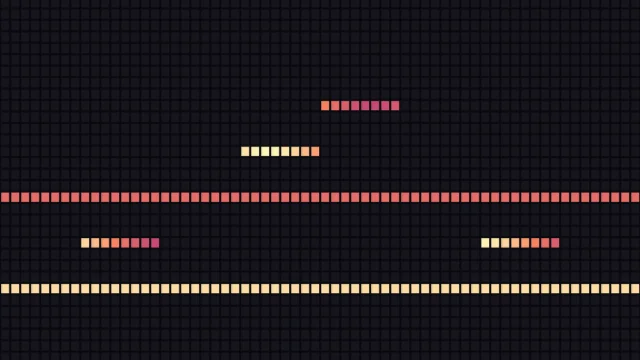
Loopcade is a step sequencer for the browser. You paint notes into 1/16-step grids across five channels — drums plus four pitched voices — tweak each voice's synth parameters, and bounce the loop to WAV or WEBM. All sound is synthesized live in the browser; there are no samples.
The session ships with five presets and five scales. Grids are 8 or 16 visible steps over a 32-cell array, which the JSON export preserves.
Features
Built for audio-scale experimentation.
01 / Spotlight
Five channels
drums plus four pitched voices, each its own oscillator + envelope stack.
02
Built-in audio engine
voice → mixer → distortion → filter → delay → reverb → compressor limiter → output.
03
Export to 16-bit
Stereo WAV (with 2s tail padding), WEBM, and full JSON round-trip.
How to use
Workflow
Steps take about a minute.
Pick a preset from the Session tab, then click cells in any grid to paint notes. Use the Synth tab to shape voices and the Effects tab for reverb, delay, and saturation. Export from the toolbar.
Use cases
What people use it for
Making beats and loops in the browser without installing softwareLearning step sequencing and synth sound designExporting WAV stems for use in other DAWs or projectsQuick musical sketches and idea capture
FAQ
Common questions
Are the grids really 8 or 16 steps, or bigger?+
Internally every grid is a 32-cell array. The 8/16 buttons just change how many cells are visible. The JSON export keeps the full 32 cells.
Can I save a custom pattern for later?+
Use the toolbar Export → JSON, then drag it back in via Import JSON in the Session tab. The file contains the full pattern: name, BPM, scale, all grids, synth voices, and effects.
Related
More audio apps
Loopcade
AUDIOStudio
A browser step sequencer with synth voices, drum kits, master effects, and WAV/WEBM/JSON export.
UpdatedJun 2026
ExportsWAV, WEBM, JSON
Runs onAny browser
PriceFree
Overview
A dynamic audio playground.
Loopcade is a step sequencer for the browser. You paint notes into 1/16-step grids across five channels — drums plus four pitched voices — tweak each voice's synth parameters, and bounce the loop to WAV or WEBM. All sound is synthesized live in the browser; there are no samples.
The session ships with five presets and five scales. Grids are 8 or 16 visible steps over a 32-cell array, which the JSON export preserves.
Features
Built for audio-scale experimentation.
01 / Spotlight
Five channels
drums plus four pitched voices, each its own oscillator + envelope stack.
02
Built-in audio engine
voice → mixer → distortion → filter → delay → reverb → compressor limiter → output.
03
Export to 16-bit
Stereo WAV (with 2s tail padding), WEBM, and full JSON round-trip.
How to use
Workflow
Steps take about a minute.
Pick a preset from the Session tab, then click cells in any grid to paint notes. Use the Synth tab to shape voices and the Effects tab for reverb, delay, and saturation. Export from the toolbar.
Use cases
What people use it for
Making beats and loops in the browser without installing softwareLearning step sequencing and synth sound designExporting WAV stems for use in other DAWs or projectsQuick musical sketches and idea capture
FAQ
Common questions
Are the grids really 8 or 16 steps, or bigger?+
Internally every grid is a 32-cell array. The 8/16 buttons just change how many cells are visible. The JSON export keeps the full 32 cells.
Can I save a custom pattern for later?+
Use the toolbar Export → JSON, then drag it back in via Import JSON in the Session tab. The file contains the full pattern: name, BPM, scale, all grids, synth voices, and effects.
Related