Loading FLUXCADE...
Watercolor Painter
Loading Watercolor Painter...
Watercolor Painter
DESIGNStudio
A watercolor painting app that simulates pigment flow, paper texture, edge darkening, and wet-on-wet blending.
UpdatedJan 2025
ExportsPNG, JPG
Runs onAny browser
PriceFree
Overview
A dynamic design playground.
Watercolor Painter is an interactive painting app that doesn't fake the look — it runs a fluid simulation underneath the brush, so pigment flows, pools, and bleeds into adjacent wet areas the way real watercolor does.
Pick a color, then paint. The right sidebar exposes brush size, water amount, pigment load, paper roughness, and a clear-water brush for rewetting.
Features
Built for design-scale experimentation.
01 / Spotlight
Real-time fluid simulation
Drives pigment flow, pooling, and edge darkening.
02
Tunable brush size
Water, pigment load, and paper roughness; pick colors from a swatch row.
03
Clear-water brush for
Rewetting and lifting; export PNG or JPG when the painting dries.
How to use
Workflow
Steps take about a minute.
Pick a color from the swatch row, then drag on the canvas to paint. Use the right sidebar to tune brush size, water, pigment, and paper. Use the clear-water brush to rewet an area and lift pigment. Export PNG/JPG from the toolbar.
Use cases
What people use it for
Digital watercolor painting without installing softwarePracticing watercolor techniques and color mixingCreating watercolor-style illustrations for design workRelaxing creative play with realistic pigment flow
FAQ
Common questions
Is the fluid simulation accurate?+
It's a simplified shallow-water simulation tuned for the look of watercolor — pooling, edge darkening, and bleed into wet areas. It captures the feel of real watercolor without being a full physics solver.
Can I undo a stroke?+
Not in the current build. Use the clear-water brush to dampen a stroke, or Reset the canvas from the toolbar to start over.
Related
More design apps
Scene Poser
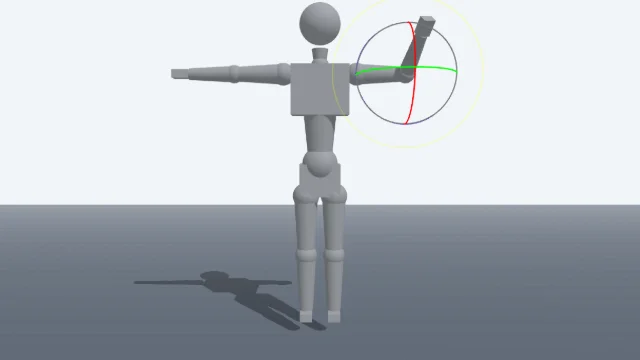
Pose 3D characters and build scenes for film and animation references.
Voxel Art Studio
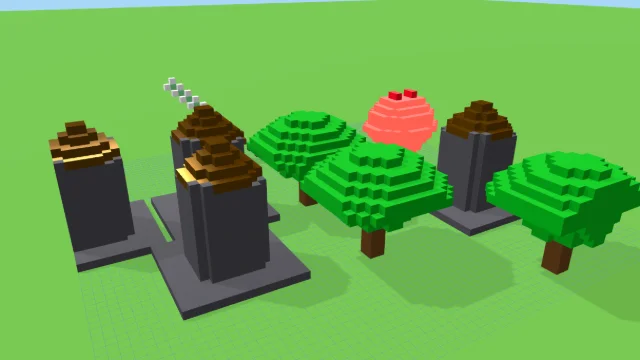
Browser-based volumetric 3D studio. Build, paint, and extrude voxels using symmetry tools and custom physical material properties (metal, glass, neon). Features an Asset Creator workspace, environment controls, and exports to OBJ, VOX, and PNG.
Pixel Art Forge
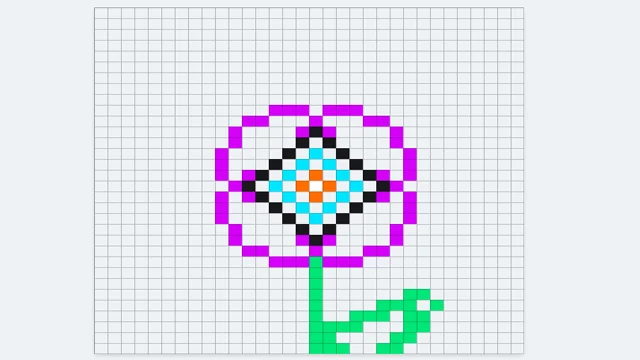
Multi-layer, multi-frame pixel art editor and animator with palette management, onion-skinning, sprite-sheet export, and image-to-pixel import.

Pixel Font Studio
Design pixel & block display fonts with a real-time editor, live preview, sprite sheet, SVG, and TTF export.
Watercolor Painter
DESIGNStudio
A watercolor painting app that simulates pigment flow, paper texture, edge darkening, and wet-on-wet blending.
UpdatedJan 2025
ExportsPNG, JPG
Runs onAny browser
PriceFree
Overview
A dynamic design playground.
Watercolor Painter is an interactive painting app that doesn't fake the look — it runs a fluid simulation underneath the brush, so pigment flows, pools, and bleeds into adjacent wet areas the way real watercolor does.
Pick a color, then paint. The right sidebar exposes brush size, water amount, pigment load, paper roughness, and a clear-water brush for rewetting.
Features
Built for design-scale experimentation.
01 / Spotlight
Real-time fluid simulation
Drives pigment flow, pooling, and edge darkening.
02
Tunable brush size
Water, pigment load, and paper roughness; pick colors from a swatch row.
03
Clear-water brush for
Rewetting and lifting; export PNG or JPG when the painting dries.
How to use
Workflow
Steps take about a minute.
Pick a color from the swatch row, then drag on the canvas to paint. Use the right sidebar to tune brush size, water, pigment, and paper. Use the clear-water brush to rewet an area and lift pigment. Export PNG/JPG from the toolbar.
Use cases
What people use it for
Digital watercolor painting without installing softwarePracticing watercolor techniques and color mixingCreating watercolor-style illustrations for design workRelaxing creative play with realistic pigment flow
FAQ
Common questions
Is the fluid simulation accurate?+
It's a simplified shallow-water simulation tuned for the look of watercolor — pooling, edge darkening, and bleed into wet areas. It captures the feel of real watercolor without being a full physics solver.
Can I undo a stroke?+
Not in the current build. Use the clear-water brush to dampen a stroke, or Reset the canvas from the toolbar to start over.
Related
More design apps
Scene Poser
Pose 3D characters and build scenes for film and animation references.
Voxel Art Studio
Browser-based volumetric 3D studio. Build, paint, and extrude voxels using symmetry tools and custom physical material properties (metal, glass, neon). Features an Asset Creator workspace, environment controls, and exports to OBJ, VOX, and PNG.
Pixel Art Forge
Multi-layer, multi-frame pixel art editor and animator with palette management, onion-skinning, sprite-sheet export, and image-to-pixel import.
Pixel Font Studio
Design pixel & block display fonts with a real-time editor, live preview, sprite sheet, SVG, and TTF export.