Loading FLUXCADE...
Color Field
Loading Color Field...
Color Field
DESIGNStudio
A spectrum field studio with 7 field algorithms, 7 color modes, and a 13-palette library.
UpdatedJun 2026
ExportsPNG, JPG
Runs onAny browser
PriceFree
Overview
A dynamic design playground.
Color Field v3 renders a smoothly evolving color field entirely in real time. Pick from seven field algorithms — Sine Mesh, Plasma, Flow Field, Liquid FBM, Lava Lamp, Kaleidoscope, and Voronoi — and pair them with seven color modes ranging from a free HSL hue to dual, tri-color, and library-palette gradients.
Tune scale, warp, octaves, brightness, saturation, and contrast from the right sidebar. The toolbar palette menu drops in any of the 13 saved library palettes in one click. Lock any parameter to keep it across shuffles, then export PNG or JPG at any aspect ratio for use as a cover, wallpaper, or design plate.
Features
Built for design-scale experimentation.
01 / Spotlight
7 field algorithms
Sine Mesh, Plasma, Flow Field, Liquid FBM, Lava Lamp, Kaleidoscope, Voronoi.
02
7 color modes
HSL Hue, Dual Gradient, Tri Color, Library Palette, Monochrome, Complementary, Inverted HSL.
03
13-palette library with
One-click swatch grid; all parameters lockable for repeat shuffles.
How to use
Workflow
Steps take about a minute.
Open the Field tab to pick an algorithm and tune scale, warp, and octaves. Open the Color tab to choose a color mode — pick a palette from the toolbar for instant recoloring. Lock any slider to preserve it, shuffle to roll a new combination, then export PNG or JPG at the chosen aspect ratio.
Use cases
What people use it for
Generating animated backgrounds and wallpapers for design workCreating procedural art with 7 field algorithms and 7 color modesProducing gradient visuals for covers, thumbnails, and social mediaExploring procedural color fields with lockable parameters
FAQ
Common questions
What's the difference between the field algorithms?+
Sine Mesh is a layered sine wave sheet. Plasma stacks multi-axis sine rings. Flow Field is a rotating vector current. Liquid FBM uses multi-octave fBm noise. Lava Lamp adds heavy domain warping. Kaleidoscope mirror-folds the field for radial mandala motifs. Voronoi draws cell-noise with smooth edge blending.
How do color modes interact with palettes?+
Library Palette mode reads directly from the selected palette in the toolbar. The other color modes use your manual Color A, Color B, and Color C inputs. Switching palettes does not change the field; it only changes the gradient stops in Library Palette mode.
What does Lock do?+
The lock icon on each slider excludes it from Shuffle. Lock a palette or a color you like, then roll new algorithms, scales, and tonality on top of it.
Related
More design apps
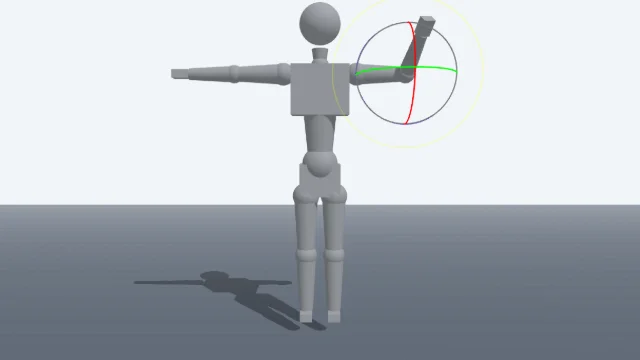
Scene Poser
Pose 3D characters and build scenes for film and animation references.
Watercolor Painter
Interactive watercolor painting with realistic fluid dynamics and paper effects.
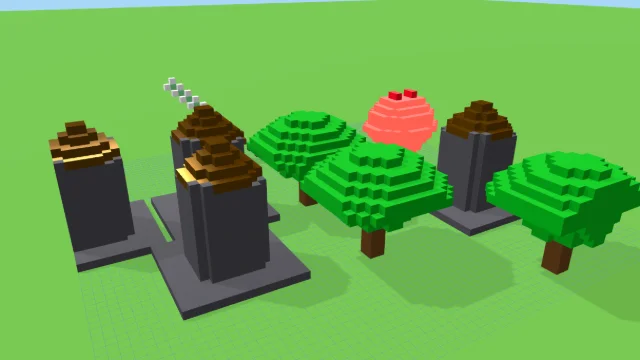
Voxel Art Studio
Browser-based volumetric 3D studio. Build, paint, and extrude voxels using symmetry tools and custom physical material properties (metal, glass, neon). Features an Asset Creator workspace, environment controls, and exports to OBJ, VOX, and PNG.
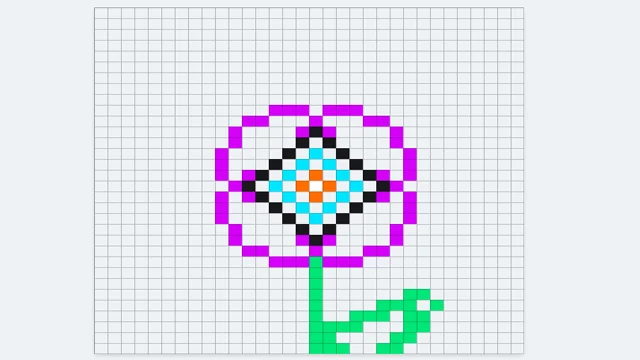
Pixel Art Forge
Multi-layer, multi-frame pixel art editor and animator with palette management, onion-skinning, sprite-sheet export, and image-to-pixel import.
Color Field
DESIGNStudio
A spectrum field studio with 7 field algorithms, 7 color modes, and a 13-palette library.
UpdatedJun 2026
ExportsPNG, JPG
Runs onAny browser
PriceFree
Overview
A dynamic design playground.
Color Field v3 renders a smoothly evolving color field entirely in real time. Pick from seven field algorithms — Sine Mesh, Plasma, Flow Field, Liquid FBM, Lava Lamp, Kaleidoscope, and Voronoi — and pair them with seven color modes ranging from a free HSL hue to dual, tri-color, and library-palette gradients.
Tune scale, warp, octaves, brightness, saturation, and contrast from the right sidebar. The toolbar palette menu drops in any of the 13 saved library palettes in one click. Lock any parameter to keep it across shuffles, then export PNG or JPG at any aspect ratio for use as a cover, wallpaper, or design plate.
Features
Built for design-scale experimentation.
01 / Spotlight
7 field algorithms
Sine Mesh, Plasma, Flow Field, Liquid FBM, Lava Lamp, Kaleidoscope, Voronoi.
02
7 color modes
HSL Hue, Dual Gradient, Tri Color, Library Palette, Monochrome, Complementary, Inverted HSL.
03
13-palette library with
One-click swatch grid; all parameters lockable for repeat shuffles.
How to use
Workflow
Steps take about a minute.
Open the Field tab to pick an algorithm and tune scale, warp, and octaves. Open the Color tab to choose a color mode — pick a palette from the toolbar for instant recoloring. Lock any slider to preserve it, shuffle to roll a new combination, then export PNG or JPG at the chosen aspect ratio.
Use cases
What people use it for
Generating animated backgrounds and wallpapers for design workCreating procedural art with 7 field algorithms and 7 color modesProducing gradient visuals for covers, thumbnails, and social mediaExploring procedural color fields with lockable parameters
FAQ
Common questions
What's the difference between the field algorithms?+
Sine Mesh is a layered sine wave sheet. Plasma stacks multi-axis sine rings. Flow Field is a rotating vector current. Liquid FBM uses multi-octave fBm noise. Lava Lamp adds heavy domain warping. Kaleidoscope mirror-folds the field for radial mandala motifs. Voronoi draws cell-noise with smooth edge blending.
How do color modes interact with palettes?+
Library Palette mode reads directly from the selected palette in the toolbar. The other color modes use your manual Color A, Color B, and Color C inputs. Switching palettes does not change the field; it only changes the gradient stops in Library Palette mode.
What does Lock do?+
The lock icon on each slider excludes it from Shuffle. Lock a palette or a color you like, then roll new algorithms, scales, and tonality on top of it.
Related
More design apps
Scene Poser
Pose 3D characters and build scenes for film and animation references.
Watercolor Painter
Interactive watercolor painting with realistic fluid dynamics and paper effects.
Voxel Art Studio
Browser-based volumetric 3D studio. Build, paint, and extrude voxels using symmetry tools and custom physical material properties (metal, glass, neon). Features an Asset Creator workspace, environment controls, and exports to OBJ, VOX, and PNG.
Pixel Art Forge
Multi-layer, multi-frame pixel art editor and animator with palette management, onion-skinning, sprite-sheet export, and image-to-pixel import.