Loading FLUXCADE...
Retro Vibrance
Loading Retro Vibrance...
Retro Vibrance
DESIGNStudio
An interactive parametric 1970s retro graphic designer and custom track builder.
UpdatedJun 2026
ExportsPNG, JPG, SVG
Runs onAny browser
PriceFree
Overview
A dynamic design playground.
Retro Vibrance combines a parametric vector poster generator with an interactive spline builder workspace. Choose from 20 built-in geometric layouts, customize stripe spacing, line widths, translation transforms, and vintage text overlays, or drag puzzle blocks in the Builder tab to weld your own custom tracks.
Features
Built for design-scale experimentation.
01 / Spotlight
20 programmatic retro
Stripe layouts with multi-layered depth and active transformation controls.
02
Interactive custom track builder
snap puzzle blocks together with magnetic auto-welding.
03
Heavy typography overlays
With customizable spacing, text rotation, and warm heritage palettes.
04
Fractal noise silkscreen
Grain textures and radial vignettes for an authentic printed finish.
How to use
Workflow
Steps take about a minute.
Use Shuffle in the toolbar to instantly generate random design configurations. Select layout pattern presets, manage multiple overlay instances, and choose palettes in the Layouts tab. Tweak active transforms and stripe styles in their respective tabs. Switch to the Builder tab to drag puzzle blocks, rotate/remove them, and compile them into custom spline layout presets.
Use cases
What people use it for
Creating 1970s retro poster graphics and wallpaper layoutsDrawing custom spline paths with snap-fitting puzzle blocksDesigning vintage typographical overlays and title cardsExporting scalable vectors (SVG) or high-resolution raster files (PNG, JPG)
FAQ
Common questions
How do custom tracks work in the generator?+
Once you build a track by snapping puzzle blocks together in the Builder tab and saving it, that custom preset layout becomes immediately available inside the Layouts tab to apply to any poster layers.
Can I layer multiple designs together?+
Yes. Use the Instances list in the Layouts tab to add multiple layers. Each layer can have its own presets, scales, positions, color sequences, and rotations.
Related
More design apps
Scene Poser
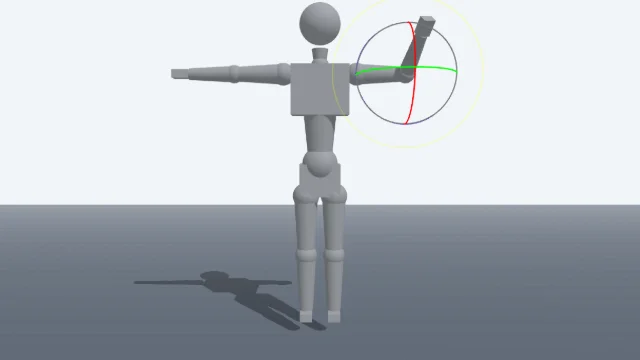
Pose 3D characters and build scenes for film and animation references.
Watercolor Painter
Interactive watercolor painting with realistic fluid dynamics and paper effects.
Voxel Art Studio
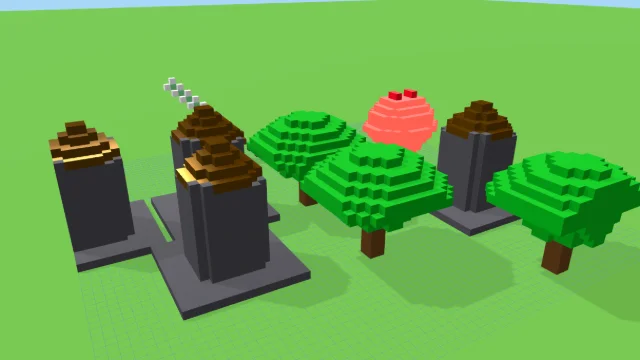
Browser-based volumetric 3D studio. Build, paint, and extrude voxels using symmetry tools and custom physical material properties (metal, glass, neon). Features an Asset Creator workspace, environment controls, and exports to OBJ, VOX, and PNG.
Pixel Art Forge
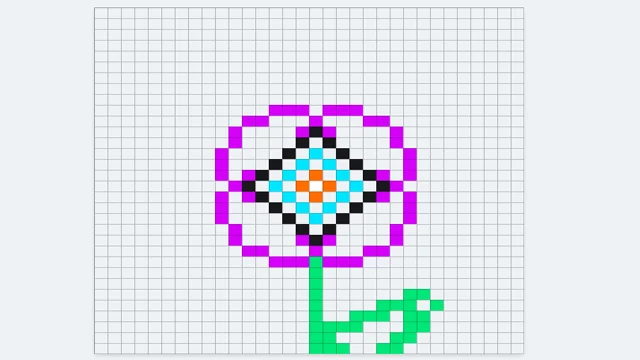
Multi-layer, multi-frame pixel art editor and animator with palette management, onion-skinning, sprite-sheet export, and image-to-pixel import.
Retro Vibrance
DESIGNStudio
An interactive parametric 1970s retro graphic designer and custom track builder.
UpdatedJun 2026
ExportsPNG, JPG, SVG
Runs onAny browser
PriceFree
Overview
A dynamic design playground.
Retro Vibrance combines a parametric vector poster generator with an interactive spline builder workspace. Choose from 20 built-in geometric layouts, customize stripe spacing, line widths, translation transforms, and vintage text overlays, or drag puzzle blocks in the Builder tab to weld your own custom tracks.
Features
Built for design-scale experimentation.
01 / Spotlight
20 programmatic retro
Stripe layouts with multi-layered depth and active transformation controls.
02
Interactive custom track builder
snap puzzle blocks together with magnetic auto-welding.
03
Heavy typography overlays
With customizable spacing, text rotation, and warm heritage palettes.
04
Fractal noise silkscreen
Grain textures and radial vignettes for an authentic printed finish.
How to use
Workflow
Steps take about a minute.
Use Shuffle in the toolbar to instantly generate random design configurations. Select layout pattern presets, manage multiple overlay instances, and choose palettes in the Layouts tab. Tweak active transforms and stripe styles in their respective tabs. Switch to the Builder tab to drag puzzle blocks, rotate/remove them, and compile them into custom spline layout presets.
Use cases
What people use it for
Creating 1970s retro poster graphics and wallpaper layoutsDrawing custom spline paths with snap-fitting puzzle blocksDesigning vintage typographical overlays and title cardsExporting scalable vectors (SVG) or high-resolution raster files (PNG, JPG)
FAQ
Common questions
How do custom tracks work in the generator?+
Once you build a track by snapping puzzle blocks together in the Builder tab and saving it, that custom preset layout becomes immediately available inside the Layouts tab to apply to any poster layers.
Can I layer multiple designs together?+
Yes. Use the Instances list in the Layouts tab to add multiple layers. Each layer can have its own presets, scales, positions, color sequences, and rotations.
Related
More design apps
Scene Poser
Pose 3D characters and build scenes for film and animation references.
Watercolor Painter
Interactive watercolor painting with realistic fluid dynamics and paper effects.
Voxel Art Studio
Browser-based volumetric 3D studio. Build, paint, and extrude voxels using symmetry tools and custom physical material properties (metal, glass, neon). Features an Asset Creator workspace, environment controls, and exports to OBJ, VOX, and PNG.
Pixel Art Forge
Multi-layer, multi-frame pixel art editor and animator with palette management, onion-skinning, sprite-sheet export, and image-to-pixel import.