Loading FLUXCADE...
Fluid Dynamics
Loading Fluid Dynamics...
Fluid Dynamics
PHYSICSStudio
A real-time 2D fluid simulator with click-and-drag dye injection and tunable viscosity, diffusion, and fade.
UpdatedJan 2025
ExportsPNG
Runs onAny browser
PriceFree
Overview
A dynamic physics playground.
Fluid Dynamics is a real-time fluid simulator running on a grid in your browser. It moves a velocity field, carries a dye density through it, and renders the result as a flowing visual.
Click and drag to inject dye and push the fluid. Viscosity controls how thick the flow is, diffusion controls how fast dye spreads, and fade controls how quickly the field decays back to zero.
Features
Built for physics-scale experimentation.
01 / Spotlight
Real-time fluid solver
On a grid; renders at full window size.
02
Tunable viscosity (thickness)
Diffusion (dye spread), and fade (decay rate).
03
Click-and-drag adds dye
And applies velocity; the field evolves in real time.
How to use
Workflow
Steps take about a minute.
Click and drag inside the view to inject dye and push the fluid. Adjust viscosity, diffusion, and fade in the sidebar to change how the flow behaves. Export PNG from the toolbar.
Use cases
What people use it for
Visualizing fluid dynamics for physics teaching or demosCreating smoke-like and dye-injection visual effectsExploring fluid behavior interactively with tunable parametersGenerating abstract fluid art for export
FAQ
Common questions
How does performance scale?+
The solver runs on a moderate grid, so it stays smooth on most devices. It's designed as an interactive visualization tool rather than a high-resolution fluid simulation.
Why does the fluid settle?+
The fade slider pulls both velocity and density back toward zero each step. Lower fade values mean the field persists longer; high fade means the fluid settles within a second or two.
Related
More physics apps
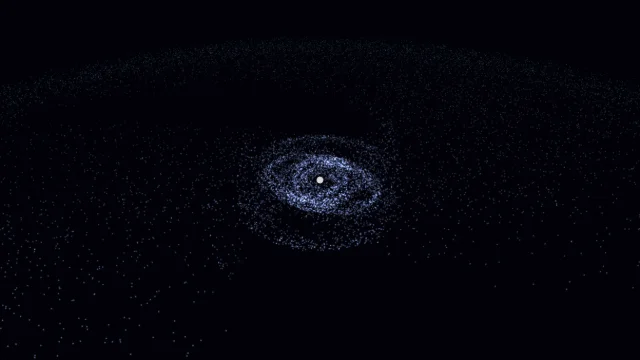
Galaxy Sim
Simulate spiral galaxies, dark matter effects, and galaxy collisions in real time.
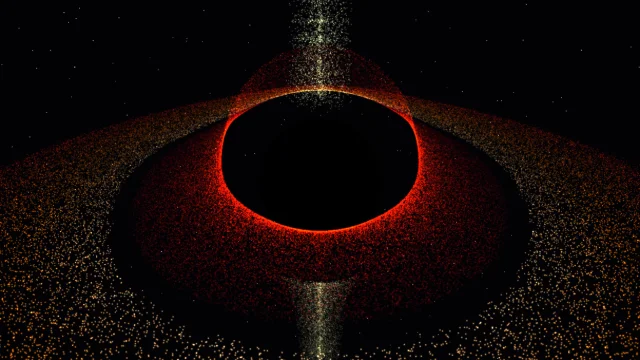
Black Hole
Visualize a black hole with gravitational lensing, Doppler beaming, and an accretion disk.
Wave Sim
Create water ripples and watch them interact with realistic wave interference.
Double Pendulum
Simulate chaotic motion with physics.
Fluid Dynamics
PHYSICSStudio
A real-time 2D fluid simulator with click-and-drag dye injection and tunable viscosity, diffusion, and fade.
UpdatedJan 2025
ExportsPNG
Runs onAny browser
PriceFree
Overview
A dynamic physics playground.
Fluid Dynamics is a real-time fluid simulator running on a grid in your browser. It moves a velocity field, carries a dye density through it, and renders the result as a flowing visual.
Click and drag to inject dye and push the fluid. Viscosity controls how thick the flow is, diffusion controls how fast dye spreads, and fade controls how quickly the field decays back to zero.
Features
Built for physics-scale experimentation.
01 / Spotlight
Real-time fluid solver
On a grid; renders at full window size.
02
Tunable viscosity (thickness)
Diffusion (dye spread), and fade (decay rate).
03
Click-and-drag adds dye
And applies velocity; the field evolves in real time.
How to use
Workflow
Steps take about a minute.
Click and drag inside the view to inject dye and push the fluid. Adjust viscosity, diffusion, and fade in the sidebar to change how the flow behaves. Export PNG from the toolbar.
Use cases
What people use it for
Visualizing fluid dynamics for physics teaching or demosCreating smoke-like and dye-injection visual effectsExploring fluid behavior interactively with tunable parametersGenerating abstract fluid art for export
FAQ
Common questions
How does performance scale?+
The solver runs on a moderate grid, so it stays smooth on most devices. It's designed as an interactive visualization tool rather than a high-resolution fluid simulation.
Why does the fluid settle?+
The fade slider pulls both velocity and density back toward zero each step. Lower fade values mean the field persists longer; high fade means the fluid settles within a second or two.
Related
More physics apps
Galaxy Sim
Simulate spiral galaxies, dark matter effects, and galaxy collisions in real time.
Black Hole
Visualize a black hole with gravitational lensing, Doppler beaming, and an accretion disk.
Wave Sim
Create water ripples and watch them interact with realistic wave interference.
Double Pendulum
Simulate chaotic motion with physics.